


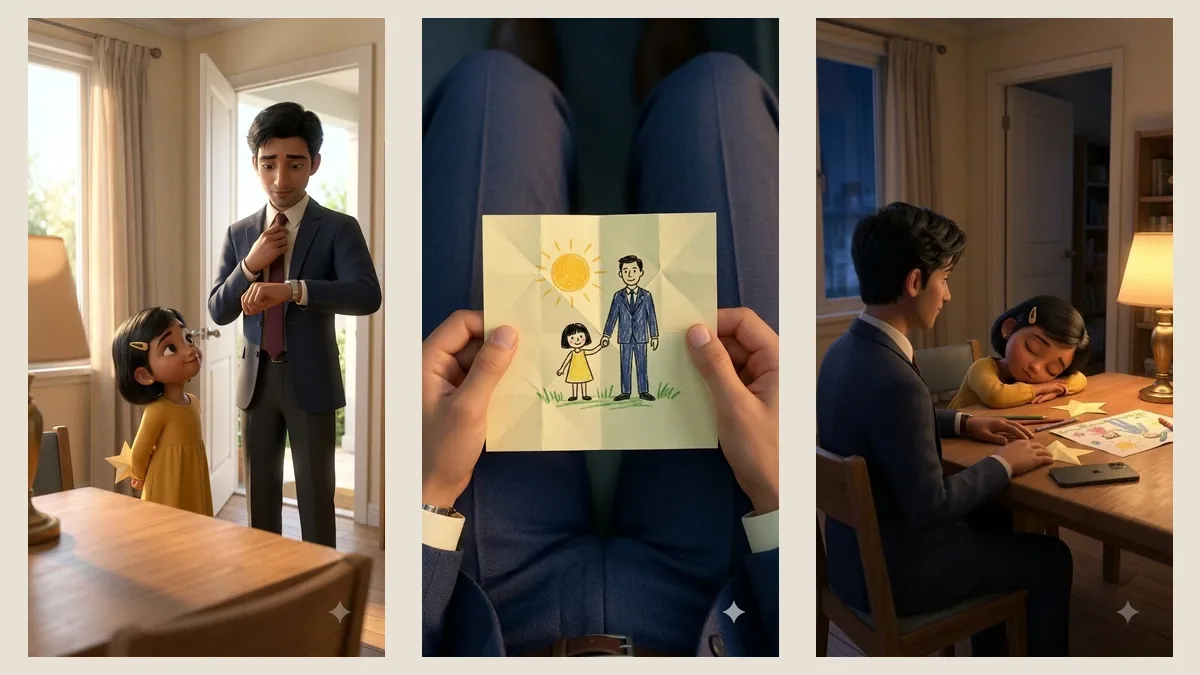
A little girl makes a paper star. Her father is too rushed to notice. Hours later, a drawing inside the gift brings him back to what he has been missing.
That is the story of The Paper Star, our 40-second short made with Google Flow. The finished reel combines nine animated clips and three still inserts, with music and sound effects added during a separate local edit. Here is the complete process, including the references, prompts, credits and compromises.
Production disclosure: The story’s characters and scenes are AI-generated fiction. An AI assistant helped interpret the supplied storyboard, operate Flow, prepare the edit and document the results. This article draws on the saved production records; it does not claim a human crew shot or animated these scenes.
The delivery file is 1080 × 1920 at 24 frames per second. The moving footage was generated at 720 × 1280 and enlarged during assembly. That distinction matters: a larger export does not create native 1080p detail.
Start with the story, then choose the frame
We began with two inputs: a 26-page production bible and a 16-panel storyboard. Together they laid out a hurried morning, a secret gift, a tired commute and a quiet return home. The ending was the point: the father puts his phone away and stays beside his sleeping daughter.
The board used wide compositions. An Instagram reel needed portrait framing. Simply cropping those panels would have risked losing a face, a hand or the star. We generated new vertical compositions around the action each shot had to communicate.
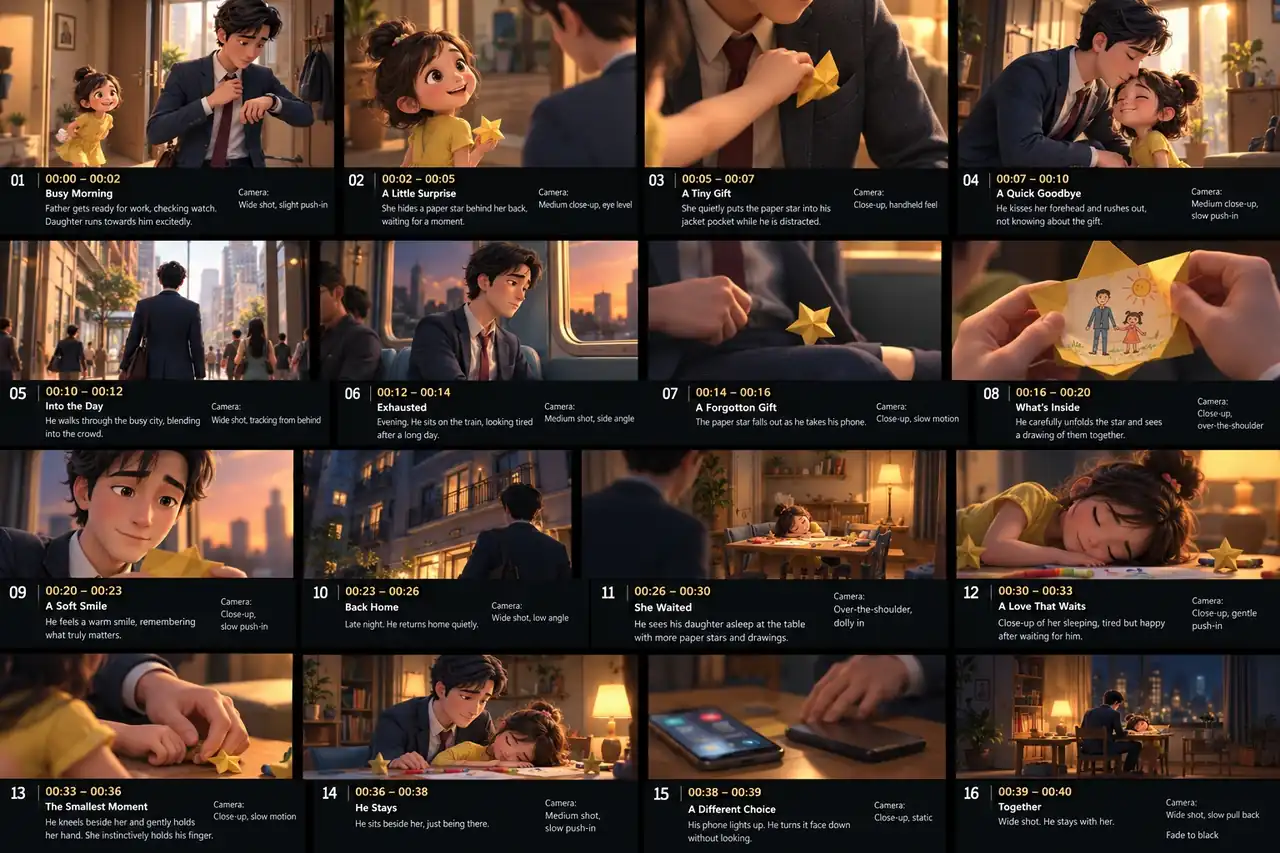
The final sequence also became simpler than the board. The city walk and exterior homecoming were omitted. The train established the long day; a door sound and the sleeping-child shot suggested his return. Those choices left more time for the drawing and the final decision.
Give Google Flow one consistent cast
The references disagreed on small details. The storyboard showed longer, tied-up hair on the daughter; the production bible specified a short bob. We chose the bible's character design and carried it forward.
- Arun: a 32-year-old Indian father, black side-parted hair, navy suit, ivory shirt, muted burgundy tie and a watch on his left wrist.
- Mira: his six-year-old daughter, a short black bob, a mustard hair clip and a long-sleeved yellow dress.
- The apartment: an oak table, cream walls and warm lamplight. The night-room reference kept the window on the left and the brass lamp on the right.
- The gift: a pale-yellow, five-point paper star with visible folds, later shown as an opened drawing.
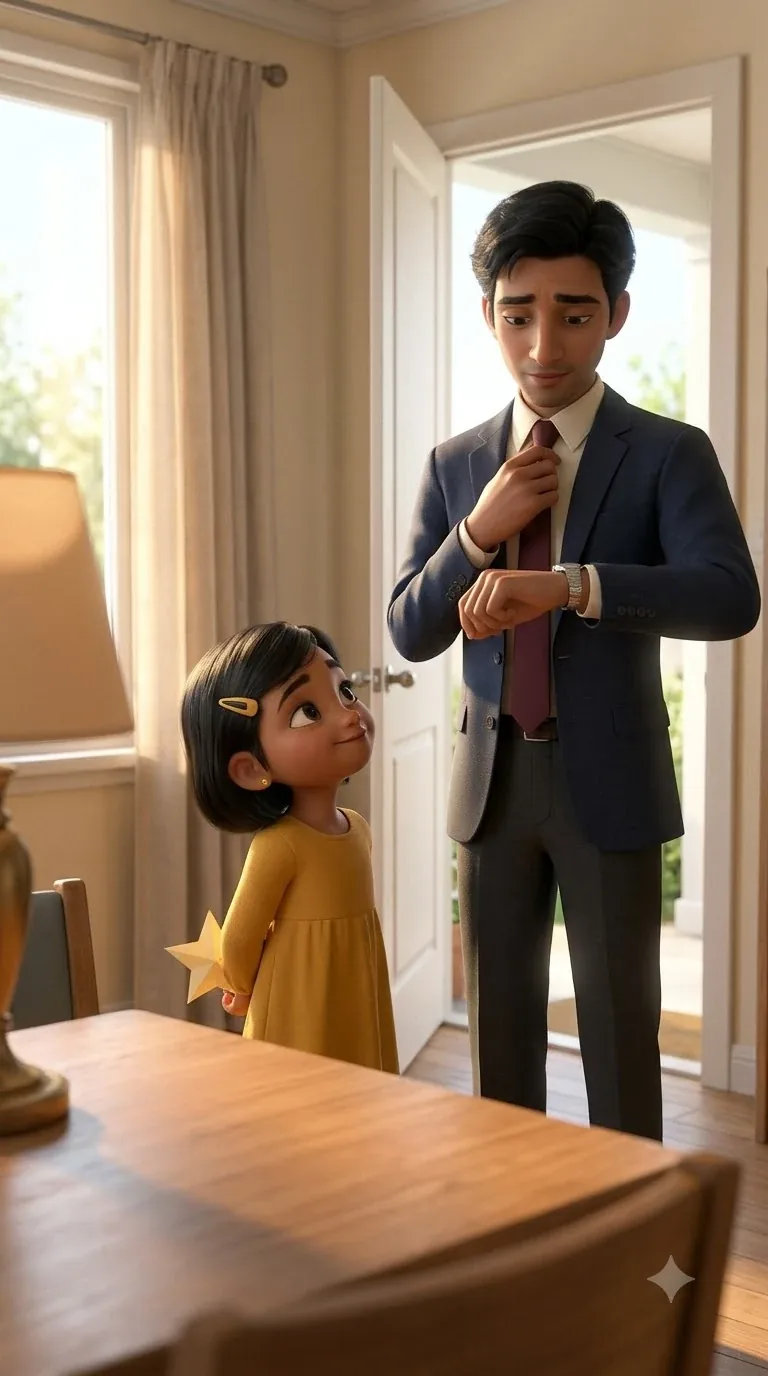
This is where the first images earned their keep. A morning frame established the cast and clothes. A separate night frame established the room. One early attempt placed the father at the table too soon, so it became an ending reference rather than the arrival shot.
Google's guidance makes the underlying rule explicit: “Your text prompt should complement, not contradict, your visual inputs.” We resolved the conflicting hair and clothing choices before asking the model to animate them. Google's reference guidance also explains how frames and ingredients guide a clip.
Approve an image before animating it
Our session used Nano Banana 2.1 for stills and Omni 1.1 Flash for video, as labelled in the account. We selected one output per request. We selected 9:16, a four- or six-second duration, and 720p for the moving shots. Availability and model names can change; Google's model page is the current reference.
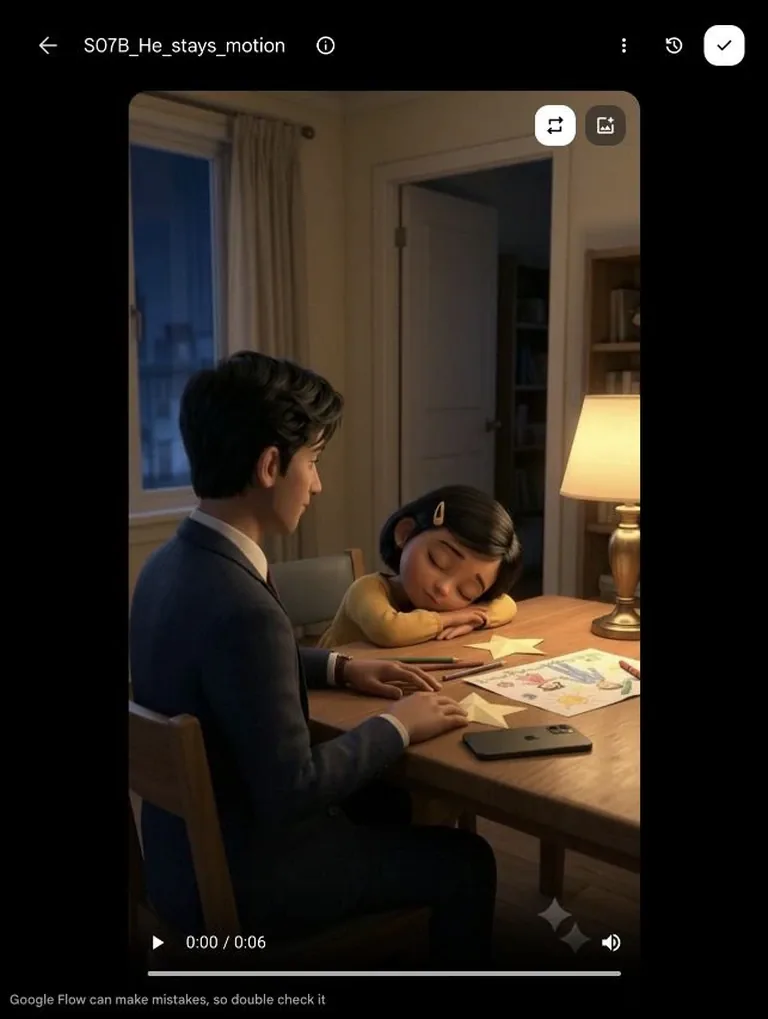
The working loop was straightforward: generate a keyframe, inspect it, select it as the video's start frame, then describe one small movement. A good still gave the motion model a concrete face, pose, prop and setting to begin from.
The train shot needed a weary head settling. The reaction needed a small smile. The ending needed a slow camera pullback. Each prompt kept the surrounding objects steady so the gesture remained easy to read.
Here is a shortened version of the star-return prompt, adapted from the actual production text:
Animate the supplied first frame as one continuous six-second shot. Keep the camera locked. The adult hand lowers the single folded star onto the oak table, releases it, then withdraws. The star keeps its shape and remains still. Keep the drawing and lighting stable. No other hands enter.
The timings in a prompt are requests. The generated action still needs inspection. In this case, the hand's release and withdrawal determined which part of the clip made the edit.
The paper reveal worked as a cut
A star unfolding into a drawing sounds simple in a script. On screen it requires fingers, folds and paper edges to change together without losing the object. We chose to avoid that complex transformation.
Instead, we made two clear states: the folded star in Arun's hands, then the opened sheet with a crayon drawing of father and daughter. The first holds for two seconds. The second holds for four. A cut connects them, followed by his smile.
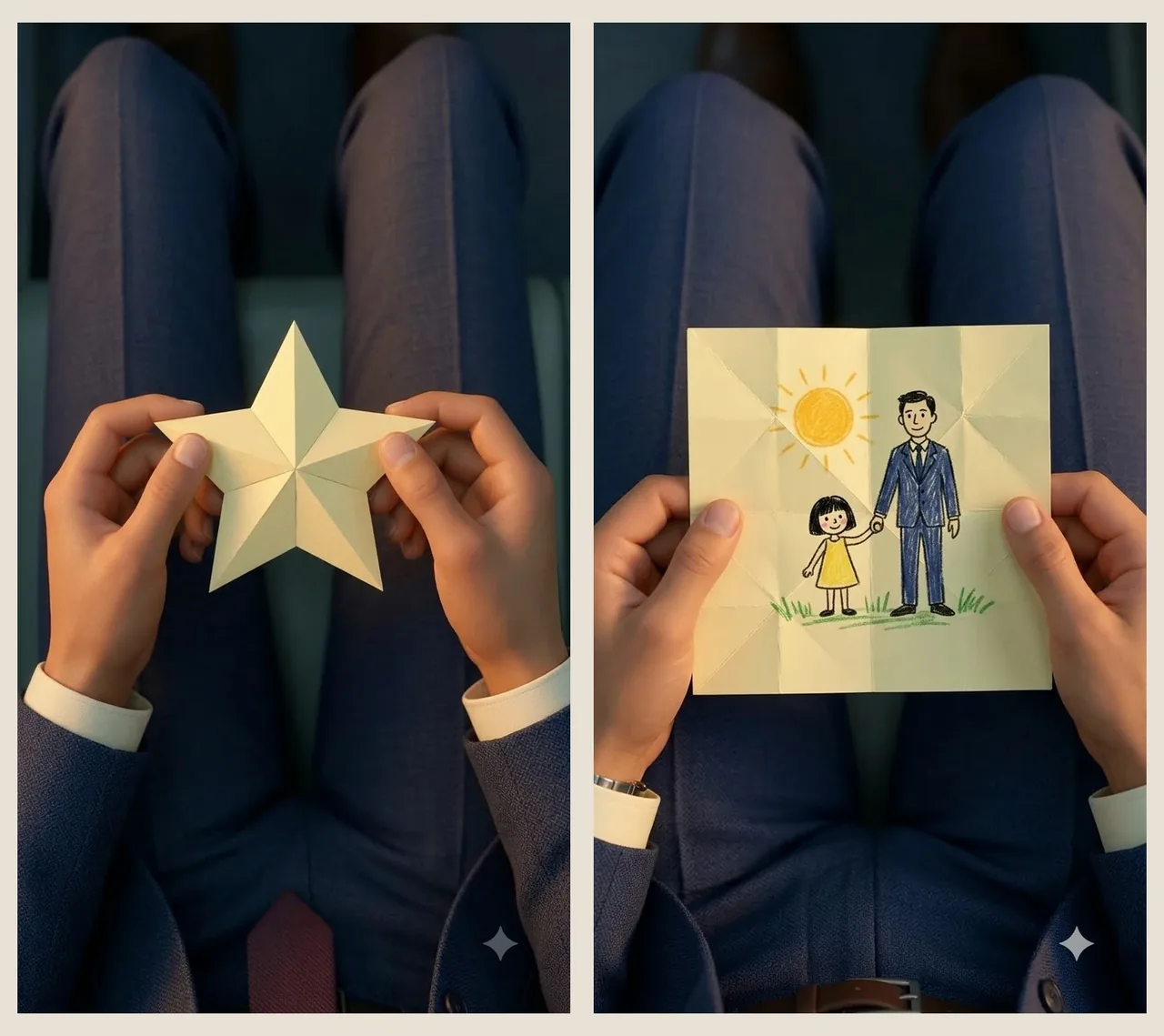
These are deliberate still inserts. The third is the star already tucked into his jacket pocket. Together, the three holds occupy eight seconds of the finished film. They give the viewer time to understand the gift without claiming that the entire paper-handling action was animated.
Change the scene when a generation fails
Two requests were blocked by Flow: an image of the pocket-placement action and a forehead-kiss animation. We did not retry those blocked prompts. The film uses a star already in the pocket and a farewell across the doorway instead.
The planned finger clasp was also replaced with a close-up of the father's hand returning the star to the table. The story still has a physical gesture of care. He brings the gift home, puts his phone down and stays.
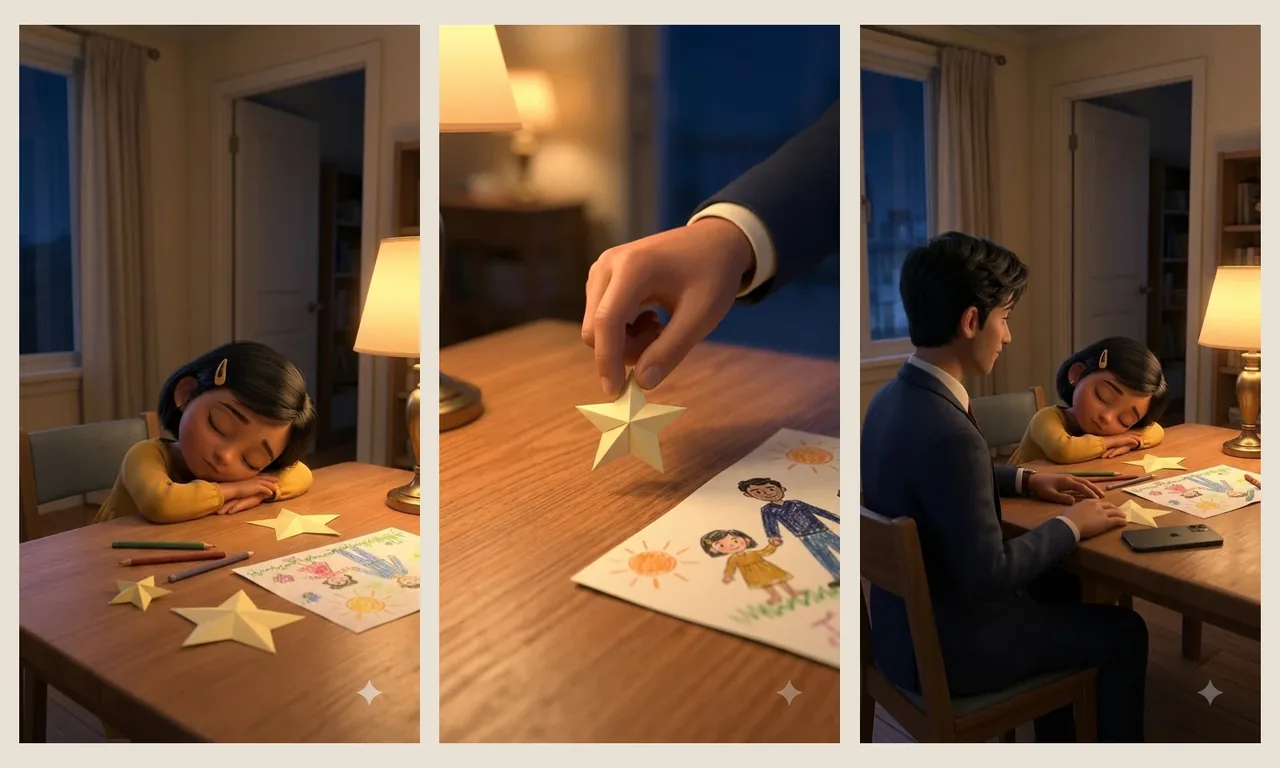
Those changes affected the film's meaning, so they belong in the production account. A generated short can remain faithful to its emotional idea while changing how individual moments are staged.
The exact 40-second edit
The nine successful video generations produced 42 seconds of source footage. The final edit uses 32 seconds of that motion, plus the eight seconds of still images. Every cut had a job.
| Time | What the viewer sees | Used in the edit |
|---|---|---|
| 00:00–00:03 | The hurried morning | 3 seconds of video |
| 00:03–00:05 | The star in his pocket | 2-second still |
| 00:05–00:07 | The doorway farewell | 2 seconds of video |
| 00:07–00:11 | The tired train ride | 4 seconds of video |
| 00:11–00:14 | He notices the star | 3 seconds of video |
| 00:14–00:16 | The folded gift | 2-second still |
| 00:16–00:20 | The drawing inside | 4-second still |
| 00:20–00:23 | A small smile | 3 seconds of video |
| 00:23–00:28 | Mira asleep at the table | 5 seconds of video |
| 00:28–00:32.5 | The star returns home | 4.5 seconds of video |
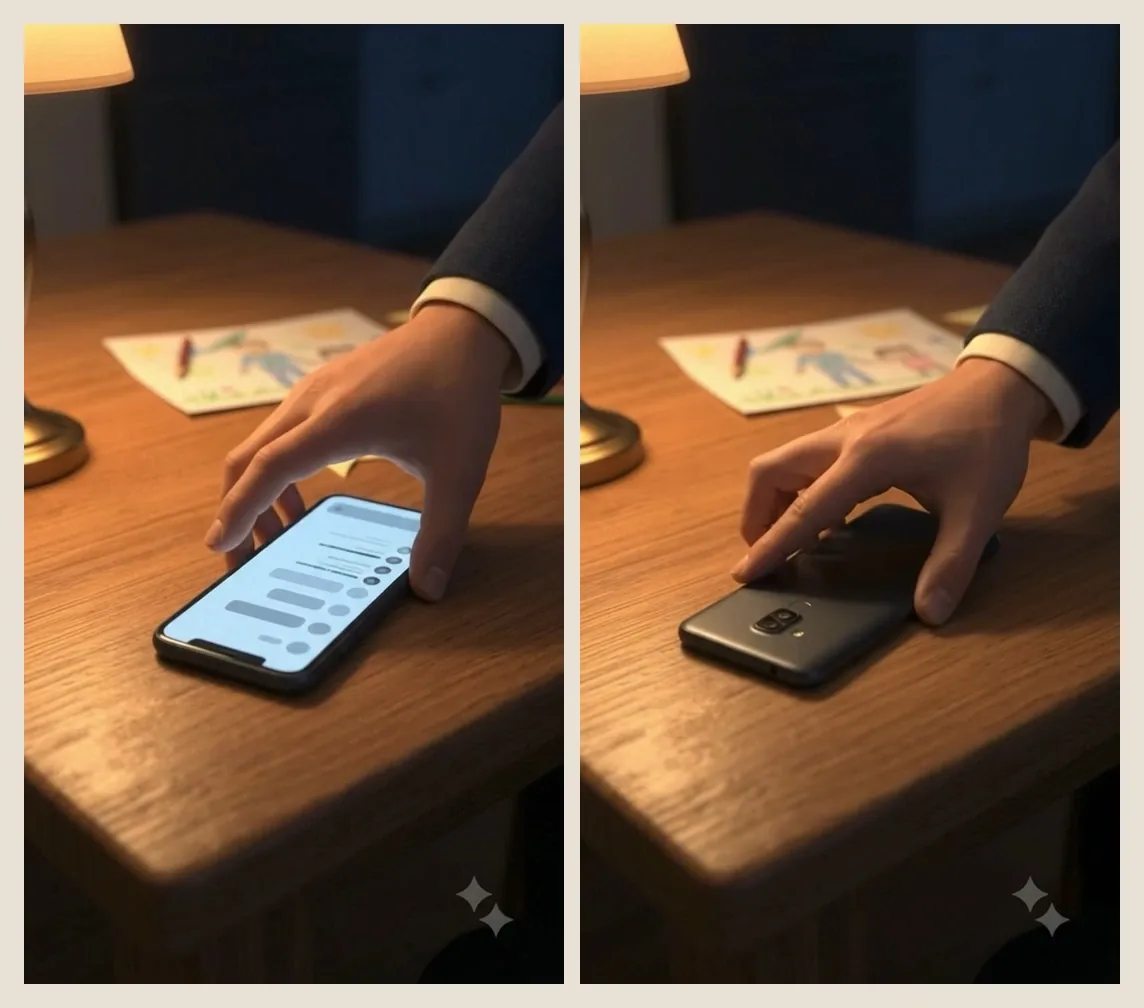
| 00:32.5–00:34.5 | The phone goes face down | 2 seconds of video |
| 00:34.5–00:40 | He stays; the camera pulls back | 5.5 seconds, ending in a fade |
The phone shot shows why precise trimming matters. Its first allocation was 1.5 seconds. Reviewing the source showed that two seconds made the move from lit screen to settled, face-down phone clearer. We took the extra half-second from the star-placement shot, keeping the total at 40 seconds.
The smile received the same attention. Using seconds one through four of its source retained the settled expression near the end. Starting at zero would have used more of the lead-in.
What the generations actually cost
The successful video quotes totalled 72 credits. Here is the arithmetic from this session's saved ledger, dated 28 October 2026:
| Successful sources | Count | Quote per generation | Total |
|---|---|---|---|
| Four-second videos | 6 | 7 credits | 42 credits |
| Six-second videos | 3 | 10 credits | 30 credits |
| Successful video total | 9 | — | 72 credits |
Including the blocked seven-credit video, submitted video quotes totalled 79 credits. Flow displayed a refund notice for that failed generation, but the account's refund settlement was not independently checked.
There were 15 image attempts, producing 14 stills. Their live quotes were zero credits in this session. That does not establish a permanent free entitlement for every account. No subscription upgrade or credit purchase was made during the production.
We finished in Flow by opening the selected clips in the asset viewer and downloading them. The portrait keyframes and nine video clips were then ready for the 40-second sequence.
Reader Discussion